PineTab2
★★★⯪☆
The PineTab2 is not a great computer. But it is a hyper-mobile Linux tablet that can run desktop and command-line apps natively, with a touchscreen and an optional physical keyboard, for a budget price.
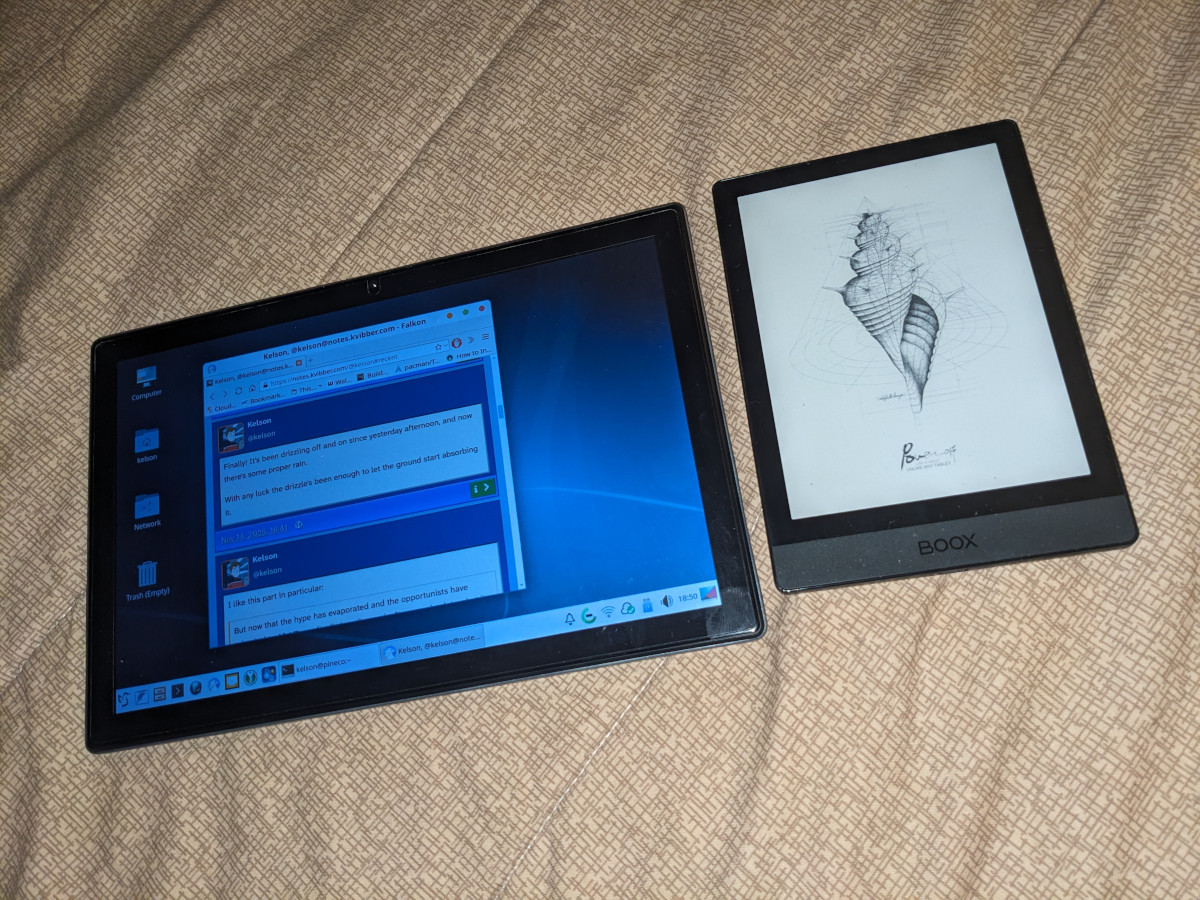
The touchscreen is okay. There’s no fancy drawing stylus like the Surface Pen or Apple Pencil (“adding a digitiser for pen inputs would make the price too high”), but you can use a generic stylus. There are two USB-C ports, one for data and one for power. Three years on, I can get an average of 5 hours of use out of a full charge, and the battery is still holding onto its charge when I turn it off completely.
Edit: I forgot to mention there are still no camera drivers. The tablet shipped before WiFi, Bluetooth or camera drivers were ready, and Danctnix has since gotten first WiFi, then Bluetooth working. (The right priority, IMO). But none of the camera driver projects I’ve seen on the forums have posted updates in a long time. So while the hardware should probably support video calls, it’s not possible to do so yet. (There’s a back camera too, which always seemed weird to me on tablets. It’s not usable yet either.)
Writing
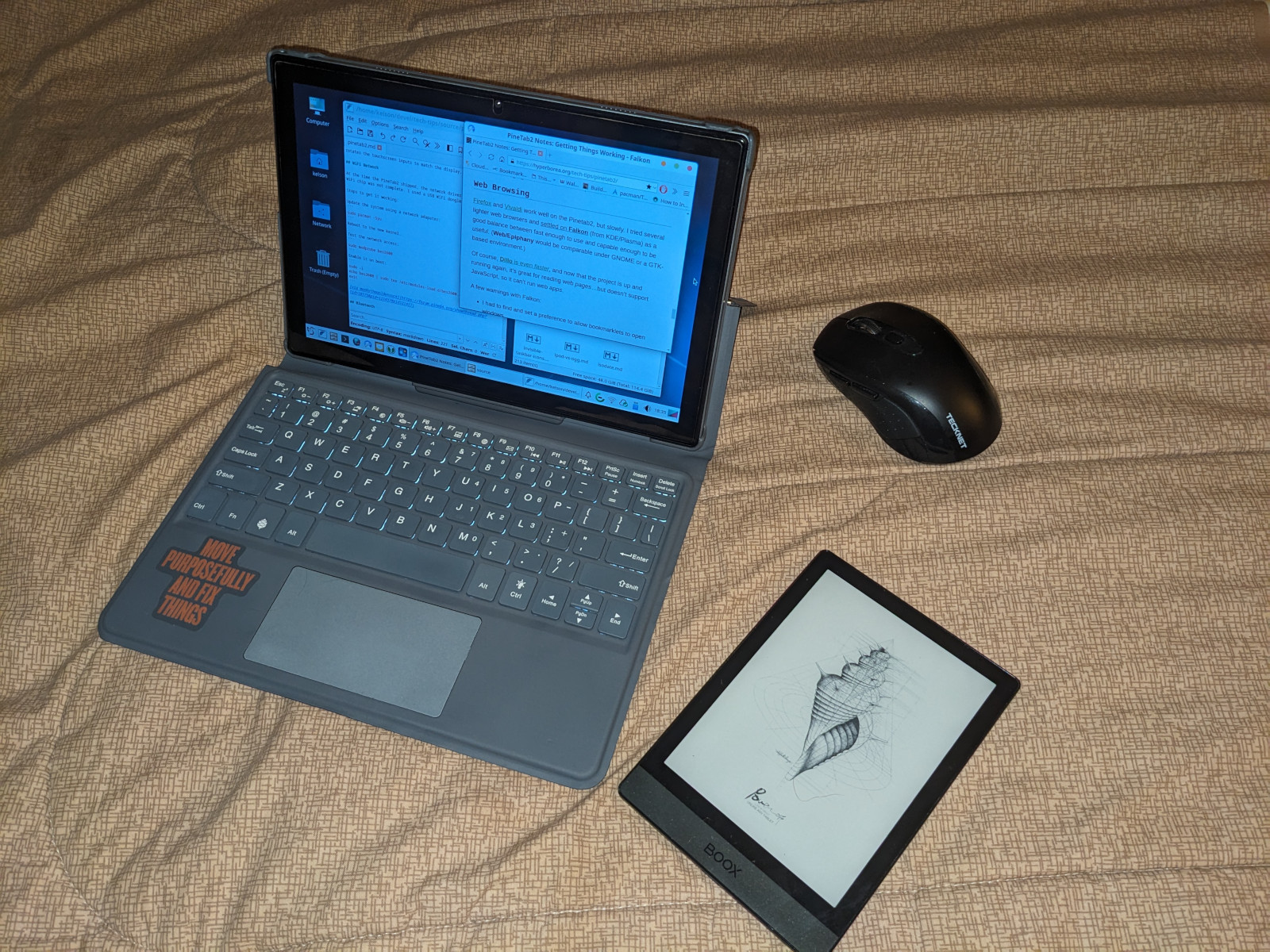
The keyboard case is a bit bulky, but it has a decent keyboard and trackpad. Mine has a flaky “D” key, so if you see a word on my website that’s missing a d, chances are I wrote it on here and didn’t catch the typo.
And yes, I’m writing this review on the tablet, using the keyboard case! It turns out one of the things it’s well-suited for is writing: Text editing doesn’t take that much power, and it connects natively to Nextcloud for my documents and drafts, and it’s easy to run git and 11ty when writing for my website. Featherpad’s fast, Sublime Text is snappy once it’s launched, and even LibreOffice runs well enough once it’s started up.
It’s not quite a WriterDeck because it can run various distractions, but those are slow enough that popping over to social media or wiki-walking is a lot less tempting. (Yay?)
Also: The PineTab can run an Eleventy test build, but it’s a lot slower than running on my desktop, or even on my VPS. I can build this Reviews site on my VPS in about 10 seconds. It takes several minutes on here. It’s slow enough that if I’ve got a network connection, I’ll run the build on the VPS instead, and mount the folder via SFTP so I can use a local editor!
System
The PineTab2 ships with Arch Linux for ARM, by way of Danctnix’s drivers for Pine64’s hardware. I’ve had surprisingly little actually break at the system level, despite the reputation rolling releases have, so I’ve stayed with Arch instead of trying any of the other distros that can run on it. This way I can at least rely on having the drivers available while they’re still not in the upstream kernel. One of these days I’ll give PostMarketOS a try.
It did take a lot of adjustments to get things working.
Some of that is because I was an early adopter. WiFi and Bluetooth drivers weren’t ready yet. LXQt didn’t run on Wayland yet. (They are, and it does, now.)
Compatibility and Performance
And some of it was just figuring out what does and doesn’t run usably on this hardware:
- Plasma Mobile is really nice, but LXQt is a lot faster.
- Web browsers: Falkon is light enough to use, as is Angelfish, while Firefox and Chromium run painfully slow. Dillo runs just fine, of course!
- Thunderbird’s reliable for email, if a bit sluggish and lacking in touchscreen support. Geary’s a lot lighter. (I tried KMail again, but as usual it had trouble accessing my account.)
- Word processing’s usable, and plaintext editors run well.
- Wayland is noticeably faster than Xorg, though LXQt on X is still faster than Plasma on Wayland.
- Nextcloud sync has a native Arch package, making it super-easy to set up.
- Dropbox doesn’t offer an ARM-compatible Linux client at all.
- 3D gaming just isn’t going to work. I think I got Minecraft crawling once and it had a framerate around 2.
- You can install a programming toolchain and compile software, but as with the Eleventy build, it’s going take a while.
Most Linux software runs on aarch64 these days, but sometimes commercial apps (ex. Dropbox) and third-party packages like Flatpak or AUR don’t bother, especially if they’re targeted at an x86_64-first distro like Arch or Ubuntu.
Comparisons
So, how does it stack up against other devices I’ve used?
Windows Convertible
My Surface Go 2 is faster, lighter, has a nice stylus, and has the best mobile keyboard I’ve ever used. It’s not a gaming powerhouse, but most general apps run just fine on it. The model is three years older (2020) but it runs Windows 10 faster than the PineTab2 runs Linux. (Windows 11 eliminates the gap, so, um, yay?)
Despite that, I still use the PineTab2 more often. Partly because the Surface is a shared family device, partly because I trust Linux more than Windows to actually be “my” computer, and partly because after years of running Linux as my primary OS, I just like it better than Windows. When the extra year of Windows 10 support runs out, I’ll probably put Linux on the Surface too, and won’t that be interesting to compare?
Android Tablets
I still use an older Galaxy Tab S4 (2018) from time to time. It’s really good for reading digital comics, and it’s also faster than the PineTab2 at everyday tasks like web browsing. (Sadly, Samsung has sacrificed its system updates at the altar of planned obsolescence.)
The PineTab2 is, however, a lot faster than the old Nexus 7 (much as I loved it at the time).
iPad
Not even in the same league.
Chromebook
The PineTab2 is better in every way than the Samsung Chromebook 3 I picked up in the late 2010s. That laptop was terrible.
Timeline
More info at PineTab2.