40 Pages Tagged “Mobile Devices”
Reviews
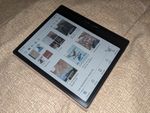
- BOOX Go 7 Color (Gen II)
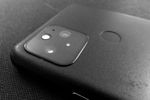
- Eulogy for the Pixel 5
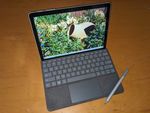
- Microsoft Surface Go 2
- A Month With the Fairphone 4
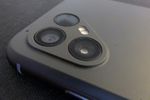
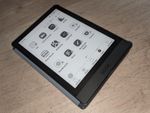
- Onyx BOOX Poke3
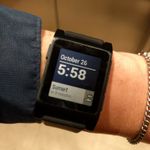
- Pebble 2 Smart Watch
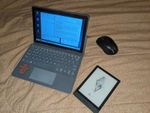
- PineTab2
- Samsung Galaxy S4 (Phone) ★★★★★ Much as I like newer phones, there are a few things that I really miss about the S4, especially the ergonomics.
Tech Tips
- Get Your Phone (or Tablet) a Case! You WILL drop your device. A case will make it a lot less likely for it to break. (Ask me how I know!)
- Notes on E-Paper Display Computers A low-power e-ink laptop sounds great, but I haven’t found any yet. Just prototypes, Android tablets, and high-powered e-ink/OLED hybrids.
- PineTab2 Notes: Getting Things Working Things I’ve had to do on my PineTab2 to get various features working and/or usable.
- Using BOOX Devices’ Page Flip Buttons With Third Party eBook Apps A few eBook apps work with the buttons out of the box, but most need you to enable page-flipping with volume buttons, one app at a time.
Blog Posts
- Almost Got It
The kid has been watching teardown/repair videos on YouTube. I took the old phones that I’d set aside for e-waste, and the tools I used to do battery replacements, and let him at them. He disassembled and reassembled the dead Nexus 5x…and it powered on! Once.
- Remember Netbooks?
A few years back, I debated getting a netbook for trips. Improvements in mobile phones and tablets have resolved all the reasons I wanted a mini laptop.
- Android Phone: Died and Reborn
The Android 5.1 OTA trashed my phone. I tried everything I could think of, and finally just installed CyanogenMod. It’s outdated, but it WORKS.
- Hungry Phone
Phone needs food badly! My entry for this week’s Flickr Friday photo challenge on the theme, “Hungry.”
- Ode to the Nexus 7
The Nexus 7 Android tablet has been discontinued in favor of the Nexus 9. (via Slashdot.) I’ve had a Nexus 7 (2012) almost since the beginning, and while it’s showing its age, I’ve been trying to stretch out its lifetime, because I actually do still use it on a regular basis. Most of what I […]
- Five Ways to Use a Smart Watch at Comic-Con
Reading up on wearable computing got me wondering: I probably wouldn’t use a smart watch every day, but would it help at special events like conventions?
- Tablets and the Geek Bubble (i.e. “Who uses THAT?”)
A lot of geeks don’t consider that someone else might have a different use case, workflow or need. Disdain for tablets is the latest expression of this.
- Divide and Conquer
A pair of separate billboards used for Microsoft’s Surface tablet ad campaign. Creative use of existing space.
- How I Actually Use My Nexus 7 Android Tablet
I prefer the tablet to the smartphone when I’m at home, or any time I want to do something for more than a few minutes. But what about the desktop/laptop?
- Nexus 7 + USB Cable = Finally! Upload Photos Without a Laptop!
You can attach USB devices to a Nexus 7 Android tablet with a $1 cable adapter. Even thumb drives and cameras work, though you need an app to read them.
- Nexus 7: First Impressions from a Tablet Newbie
First impressions: Good performance, size well-balanced for reading, better than using my phone to type. Sort of regretting that it’s wifi-only.
- Not Sure About a Laptop Phone Dock
Techcitement writes: The Universal Lapdock Is Coming: Enter the ClamBook, the first Android-compatible product by iPad keyboard-case maker ClamCase. Using a single MHL cable…the ClamBook provides an Android-laptop experience delivered by your phone. The problem I have with this idea is that it’s essentially a second device, but one that can’t be used without the […]
- G2 Battery Drain, Google Maps & GPS (Update: Wi-Fi)
I finally got hit by the mysterious battery drain that’s been plaguing G2 Android phones. Here’s what I think is happening.
- Netbook, Phone or Tablet?
Comic-Con International is rapidly approaching, and you know what that means: it means I’m thinking about mobile computing again! Right now, I’ve got a G1 Android-based phone, and Katie and I share a MacBook. The G1 is showing its age, and it would be nice to have a second computer to do things like manage […]
- G1 Will Get Android 2.1 After All (Update: No)
Android and Me is reporting that all Android phones in the U.S. will get Android 2.1 updates — even the G1 — but that they may be missing some features and some models will need to be wiped as part of the installation. That makes sense, because it would allow developers to reassign some of […]
- Nexus One Thoughts
Google’s Nexus One could well be my next phone…but I’m not ready to give up my physical keyboard just yet.
- Netbook, Laptop or Smartphone?
I briefly considered doing a fresh install on the old PowerBook to see if it could be used as a second laptop, instead of just wiping it to recycle, but quickly remembered that the reason we replaced it was a hardware problem. Still, it would be nice to have two portable computers for when we […]
- G1: No Android 2 for You!
Early reports say that Android 2.0 won’t fit on the T-Mobile G1. My reaction is mixed: Sure, you drop old hardware eventually, but it’s only been a year.
- Books on Nooks
With Barnes & Noble’s new eBook reader, you could read a Nook book in a book nook.
- Smartphone Radiation
Wow! Glad I didn’t move to a MyTouch! The G1 isn’t in the Top 10 Radiation-Emitting smartphones list, but it’s not exactly low either. The MyTouch, on the other hand, is #1.
- G1 Nearing Upgrade Limits?
I love my T-Mobile G1, but it’s no secret that the phone has way too little internal memory. Now Engadget reports that the limited memory could prevent the G1 from running future versions of the Android operating system. You can add plenty of data storage (images, music, app data) by dropping in any size Micro-SD […]
- Why I Want a Netbook (and why I’m not letting myself get one)
I’ve started seriously thinking about a netbook to get around a few issues with posting by phone, but I know I’d only use it once a year.
- Kindle DX: A Digital Comics Platform?
The Kindle DX screen is comparable in size to a manga page. It’s black and white, but it could easily handle print comics without formatting or zoom.
- Always a Newer Model
I just read about the upcoming Samsung Memoir, which is the first phone I’ve seen that really takes the approach I’ve been looking for in terms of photo capability: instead of a phone that’s also a camera, it’s a camera that’s also a phone.
- A Month with the G1
It’s been a little over a month since I upgraded to a T-Mobile G1. Overall I’ve been very happy with it. The Internet-related features are great, I’ve gotten used to how most of the functions work, and I’ve tried it out under various circumstances and played with a bunch of applications. The only problems I […]
- The G1: First Impressions
You may have noticed I’ve been looking for a smartphone for a while, and looking at the T-Mobile G1 more or less since it was announced. Well, I finally went for it. I was going through piles of papers on my desk and realized I had almost enough cashback bonus on one of my credit […]
- Camera + Phone = ?
After looking at various smartphones (including the iPhone), I think I’ve figured out why I’m not satisfied with the camera features on any of them. They’re all phones that happen to feature cameras. I want a camera that happens to feature a phone. Update: a year later I found one, but I’d already bought a […]
- Kindle(ing)
Amazon’s entire home page is currently taken up by the announcement of their new eBook reader, Kindle. At $400 I’m not going to rush out and buy one, but it looks like they’ve solved some of the main e-book problems: it’s small, light and wireless, and they even bring up the reading-in-bed issue in the […]