Two Months With the Fairphone 4
★★★⯪☆
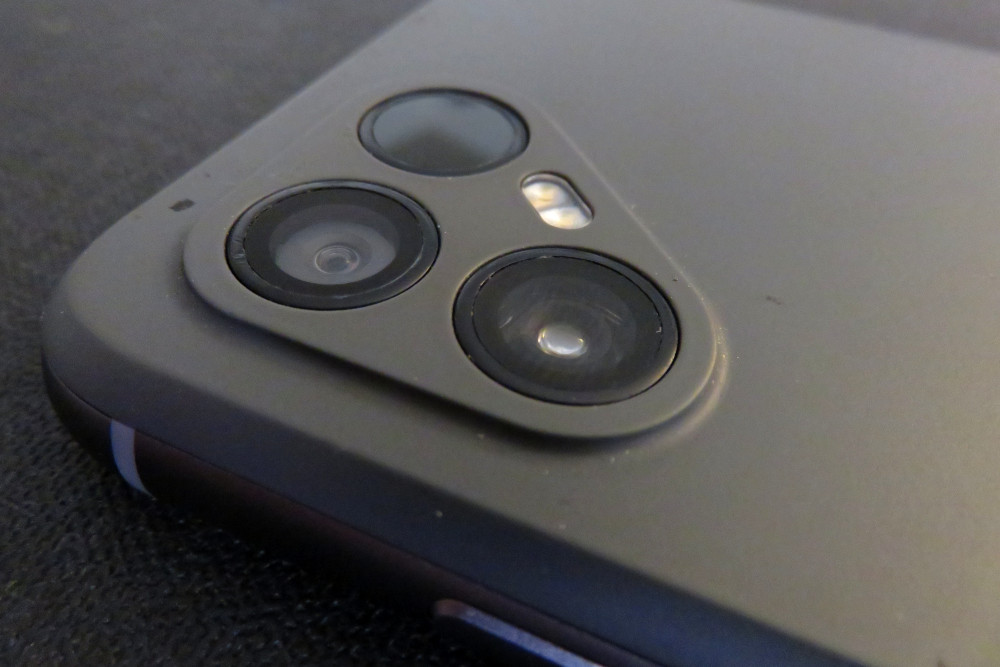
I would have preferred the Fairphone 5, but their only US retail partner, Murena, never sold that model here (though they have since picked up the Fairphone 6 and 6+). From what I could tell the FP4 was comparable to the phones we had, and there was that longer support period. And I was able to confirm that it would work on T-Mobile’s network.
The teenager used it for a while before we bought something more like what he wanted, and earlier this month I pressed it into service replacing my dying Pixel 5.
Murena ships their phones with /e/OS, an Android fork that provides replacements for some of the non-Free Google services. I’ve tried to break out the parts that would apply to other phones running the system in a separate /e/OS review.
It’s also possible to install a regular Android OS. At this writing, Fairphone provides up to Android 15 for the Fairphone 4. I’m trying to do as much as possible on /e/OS without reinstalling.
Hardware
It’s heavier and bulkier than the Pixel 5. I’d chalk that up to actually having a replaceable battery, but the Galaxy S4 also had a replaceable battery back in the day. (OK, it probably had a much smaller capacity, but still…)
The display is decent. The touchscreen is a bit sluggish. The proximity sensor works properly, which means I can actually use phone menus again. (It stopped working on my old phone a while ago.) Sound is fine, though I don’t usually listen to music directly from phone speakers (except hold music, I suppose), so I can’t really say much about the audio quality.
Camera
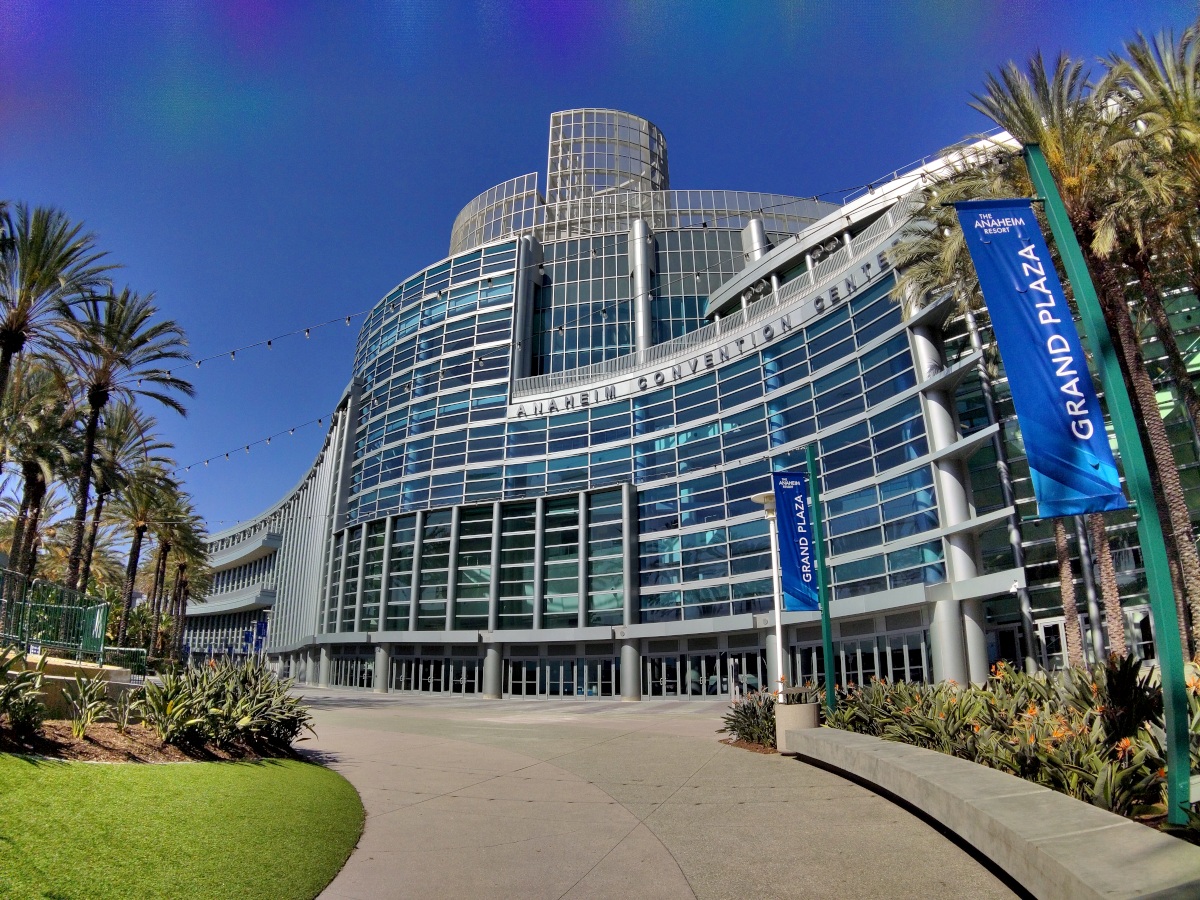
The camera’s actually pretty good when there’s enough light, especially once I changed a few quality settings in the app. High resolution RAW images are almost as sharp as an iPhone. The color balance skews a bit blue, and I’ve found that I do consistently prefer shots taken with the Pixel 5 to those taken with this one, but it’s close.
Low-light images aren’t as good, and it has trouble with dynamic ranges for backlit images. I was able to sort of adjust this shot into being almost what I wanted it to look like.
Fingerprint
The fingerprint sensor is built into the power button on the side, which is kind of odd, but seems to work reliably despite the narrow surface. At least with my hand size, it’s well-positioned for my right thumb or left index finger. A minor annoyance: it’s also easy to trip the sensor accidentally when pulling the phone out of my pocket. It doesn’t unlock of course, just buzzes in complaint that the print doesn’t match.
Keep in mind you may not want fingerprint unlock depending on your security threat model.
Performance
It’s a bit slower than the Pixel 5. On the plus side, it either manages its memory better or just has less bloatware on the system. The problem where the Pixel would regularly unload PoGo when I switched back and forth between multiple apps (mapping, iNat, camera, etc.) has only happened once or twice in the two months I’ve been using the FP4. And only when running multiple apps. Not just switching to the camera to take a single photo. (Or maybe PoGo’s AR features, which don’t run on this phone, just use a lot of memory?)
It does run hot, particularly when running multiple apps while charging, or in hot weather when it can’t dissipate heat as well. During October’s 100°F heat wave I was using it while walking (as much in shade as I could), and decided it felt warm enough I should pop it out of the case to let it cool down. The sides of the chassis were actually painful to touch!
Network Compatibility
I mentioned that it works on T-Mobile’s US network. It does. But the T-Life app doesn’t know that, so you have to actually call customer service if you need to activate an eSim. And if you’ve been swapping phones in and out between different lines, it may need escalation to clear it for reactivation.
Location services have more trouble indoors than other phones I’ve used. I’m sure some of that is just /e/OS having less access to WiFi mapping, but there does seem to be a hardware difference compared to the Pixel 5 on the same OS.
App Compatibility
My bank apps, as well as Apple Music, Dropbox, Pokémon Go etc. are all willing to accept device attestation through /e/OS and microG, at least when I’m signed into Google.
Pokémon Go is playable, with a few drawbacks. AR features don’t work, which means I can’t take photos of Pokémon in a real environment, but (a) I don’t do that very often and (b) the fallback mode is more convenient anyway. There are also times it slows to a crawl when I’m doing something as simple as trying to send gifts to other players. Flaky indoor location is a bigger problem, but the phone seems to have figured out that my home network means I’m at home, and the game has stopped blocking me out with missing-GPS errors. It does still drift sometimes, so I have to insist that I’m a passenger at my kitchen table.
The FairPhone 4 doesn’t support ARCore, and from what I can tell, Pokémon Go uses ARCore for all its augmented reality features now.
Repair and Durability
The back just unclips, and you can just grab the battery and pull it out. (In fact, if you have a physical SIM card, you need to remove the battery to get at the slot.) Internal components are mostly held together with screws or clips. They’re actually made to be serviceable, not made to require a heat gun at exactly the right distance and a suction cup at exactly the right angle and a spudger prying with exactly the right pressure.
I mentioned that the teenager used this phone for a while. During that time he broke the screen. He ordered the replacement part online and installed it himself. Then it fell out of his pocket while he was riding his bike with his friends. One of them ran over it. And it was fine.
Fairphone states that they’re aiming for 5-7 years of support from the phone’s late 2021 release, and “guarantees software support until at least 2028.” I’m not sure yet if I’ll be happy keeping it that long, but I’m glad it’s an option.